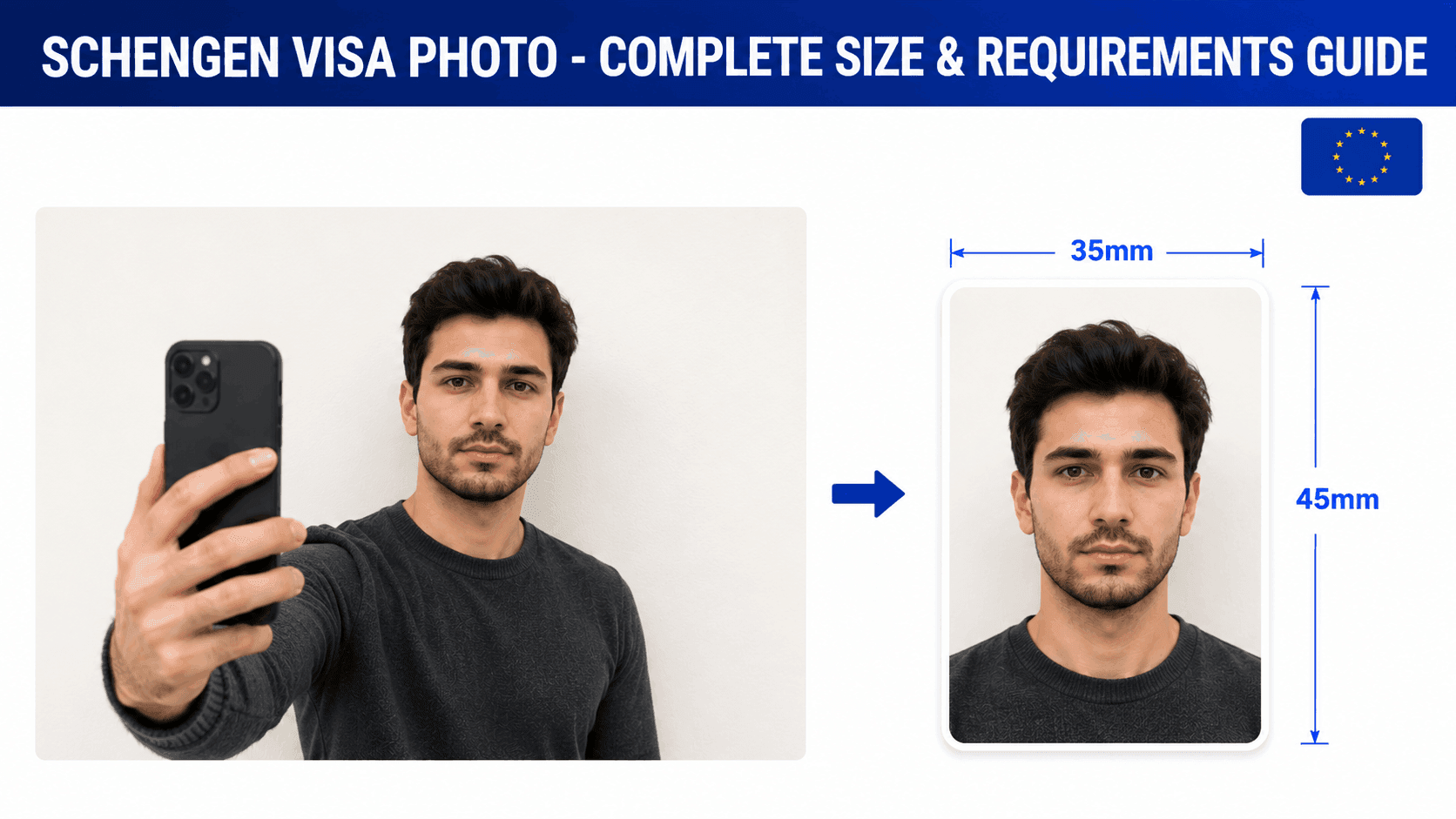
How to Resize a Schengen Visa Photo (Free, No Studio Needed)
Schengen visa photos follow the common EU/ICAO photo standard, though exact digital upload rules can vary slightly by the consulate or visa center handling your application. Here's what to know.
Schengen Visa Photo Requirements
- Size: 35 x 45mm, or roughly 600 x 750px at 300 DPI for a digital upload
- Background: Plain, light background
- Expression: Neutral, both eyes open
- Recency: Taken within the last 6 months
Step 1: Take the Photo
Stand about 4-5 feet from a plain light-colored wall, face the camera directly, and use even, natural lighting with no shadows. A regular phone camera is fine for this.
Step 2: Resize It to the Exact Specification
Your photo needs to be cropped precisely to 35x45mm with your face height between 32mm and 36mm from chin to crown. This is the part most people get wrong doing it by hand.
You can use a free tool like PassportPhotoFix to handle this automatically - upload your photo, and it crops and resizes it to the standard Schengen visa specification, entirely in your browser.
Step 3: Check Your Specific Consulate's Requirements
Unlike a single country's passport, Schengen visa applications are processed through different national consulates and outsourced visa centers (like VFS Global, TLScontact, or BLS), each of which may set its own exact digital pixel or file-size limits for online appointment booking. Always confirm the exact numbers with the specific consulate or visa center you're applying through.
Common Mistakes to Avoid
- Assuming every consulate uses identical digital upload specs
- A background with shadows or texture
- Wearing glasses with glare
- Using a photo older than 6 months
Getting the physical size and background right covers the universal part of the requirement - just double-check the digital specifics with your specific application center.